
This article will delve into the frequent reasons your vacuum cleaner might struggle to effectively remove dirt and debris. We will outline several troubleshooting tips and practical suggestions designed to assist you in diagnosing and resolving the problem. Whether you’re facing a clogged filter, an overfilled dust container, or mechanical issues, our guide seeks to equip you with the insights necessary to revitalize your vacuum’s performance.
Common Causes of Poor Suction
When a vacuum cleaner fails to pick up dirt effectively, it can be frustrating. Understanding the common causes of poor suction can help you identify and rectify the issue quickly. Here are some frequent culprits:
- Clogs: Dirt, hair, or debris can obstruct airflow within the vacuum.
- Dirty Filters: Filters that are clogged or dirty can restrict airflow and affect suction.
- Brush Roll Issues: If the brush roll is not functioning correctly, it may not agitate the carpet effectively.
- Hose Problems: Leaks or clogs in the hose can lead to reduced suction power.
- Power Supply Issues: Insufficient power can hinder the vacuum’s performance.
Identifying which of these issues is affecting your vacuum can lead you to an effective solution.
Checking the Filters
One of the first steps in troubleshooting poor suction is checking the vacuum’s filters. Filters are essential for maintaining airflow and ensuring that dust and allergens are trapped efficiently.
Steps to check your filters:- Locate the filter compartment, which is typically found near the dust container.
- Remove the filter and inspect it for dirt and debris.
- If it appears clogged, clean it according to the manufacturer’s instructions or replace it if necessary.
- Ensure that the filter is completely dry before reinserting it into the vacuum.
Cleaning or replacing filters regularly—typically every three to six months—can greatly enhance your vacuum’s performance.
Inspecting the Brush Roll
The brush roll plays a crucial role in agitating dirt from carpets and rugs. If it is obstructed or damaged, suction will be compromised.
To inspect the brush roll:
- Turn off and unplug the vacuum before inspecting.
- Remove any hair, string, or debris that may be tangled around the brush roll.
- Check for any signs of wear and tear, such as broken bristles or a worn-out belt.
- If the brush roll is not spinning freely, it may need to be replaced.
Regular maintenance of the brush roll will ensure that it continues to perform optimally.
Examining the Hose and Attachments
The hose and attachments of your vacuum cleaner are critical for reaching difficult areas and ensuring effective suction. However, they can also be prone to clogs or damage.
To examine the hose and attachments:
- Inspect the hose for any visible blockages. Shine a flashlight inside to check for clogs.
- Detach the hose and try to push a long object through to see if it moves freely.
- Look for cracks or holes in the hose that could cause air leaks.
- Check all attachments for blockages and ensure that they fit snugly onto the vacuum.
Keeping the hose and attachments clear will help maintain strong suction throughout your vacuuming sessions.
Power Supply Issues
Sometimes, the problem with a vacuum’s suction can be traced back to power supply issues. If the vacuum is not receiving adequate power, it cannot perform its tasks effectively.
To troubleshoot power issues:
- Ensure that the vacuum is plugged in securely and that the outlet is functioning.
- Inspect the power cord for any signs of damage or fraying.
- Check if the vacuum has a reset button and if it needs to be reset.
- If using a battery-powered vacuum, ensure that the battery is charged and functioning properly.
Addressing any power supply problems will help restore your vacuum’s performance.
Maintenance Tips for Optimal Performance
To keep your vacuum cleaner running smoothly and ensure optimal suction, regular maintenance is vital. Here are some tips:
- Regularly clean or replace filters: This helps maintain airflow and suction.
- Check the brush roll: Remove tangles and ensure it spins freely.
- Inspect the hose: Look for clogs and damages regularly.
- Empty the dust container: Do this frequently to prevent overflow.
- Follow the manufacturer’s maintenance schedule: This will help prolong the lifespan of your vacuum.
Implementing these maintenance tips can lead to a more efficient vacuum cleaner and a cleaner home.
When to Seek Professional Help
If you have attempted all these troubleshooting steps and your vacuum cleaner continues to show poor suction, it may be time to consult a professional.
Consider seeking expert assistance if you notice:
- Persistent power issues despite checking the power supply.
- Unusual noises that could indicate internal damage.
- Persistent clogs that you cannot clear.
- Any signs of overheating during use.
Professional repair services can diagnose underlying issues that may not be apparent, ensuring your vacuum cleaner operates efficiently once again.
For more tips and information about vacuum cleaners and other household equipment, be sure to check out our product section on our website!
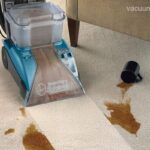 How to Use a Carpet Cleaner With Maximum Efficiency
 Why Is My Vacuum Cleaner Losing Suction?
 How to Clean Vacuum Filters and Hoses